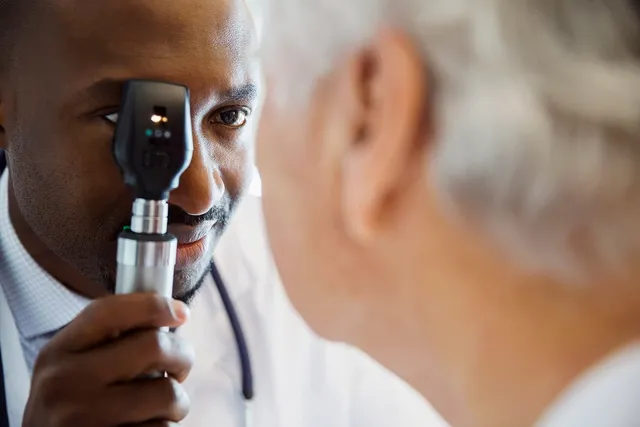
Geographic atrophy (GA) is a constant, irreversible condition that can affect your central vision. GA is an advanced form of age-related macular degeneration.
With geographic atrophy, you it can be tough to
- Read
- Drive
- Do hobbies
- Get other daily activities done
Although it can’t restore vision, technology offers help. Technology can help improve how well you see (visual acuity), and sharpness (visual clarity). Explore how technology can help make your daily life a bit easier.
High-Powered Eyeglasses and Implants
Glasses can do more than just make the most of your remaining vision. Magnification and telescoping lenses are available, but they are just the start. Specs also can reduce glare to help you see things more easily and increase color contrast. And they can move things into your field of vision where you see most clearly.
There’s also PRIMA, photovoltaic retina implant microarray, which can add a small implant to your eye. Along with glasses, the device can bypass the damaged areas and restore some sight to the central part of your retina.
Magnifiers
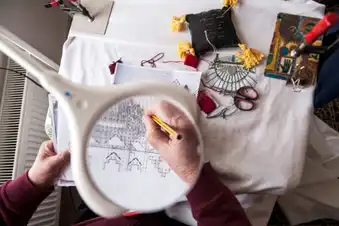
These devices have evolved since Sherlock Holmes wielded one while looking for clues. There are handheld versions that fit in your pocket and larger types mounted on a stand. (Good if your hands are shaky.) Brightfield or flatfield gadgets look like a ruler or paperweight and go directly on the print you’re reading. There’s another type you can wear around your neck, keeping your hands free for various tasks.
Video Magnifiers
This technology marries a magnifier with a camera. The camera captures an image and projects it on a screen, where you can adjust the settings to meet your needs – for instance, bigger print or higher contrast. Some have lights built in. There are both portable and desktop versions.
Smartphones and Tablets
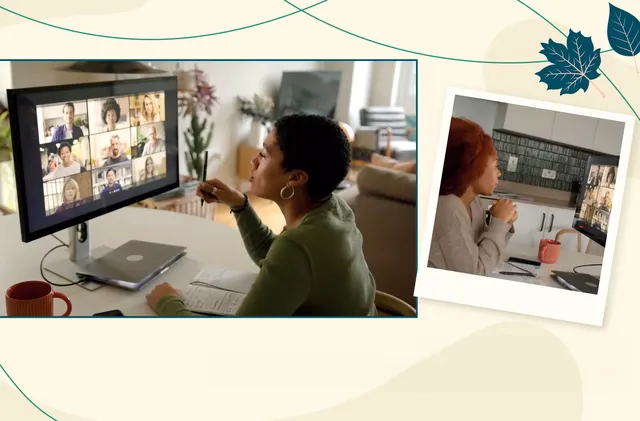
One of the most powerful tools if you have low vision may be something you already own: your phone or tablet. Tweak the settings to get the most out of it. You can increase the size of text and adjust the contrast on the screen. You can set up voice commands to perform many functions. And there are many applications you can download designed to help people with vision loss.
Built-In Assistance
Your Apple or Android smartphone or tablet comes preloaded with features that can help you. VoiceOver on Apple devices will read out what’s happening on your screen. Siri responds to text commands and can send messages, make calls, and perform other functions. Google Assistant responds to voice commands and can do tasks, much like Siri.
An App to ID Money
Counting money can be tough when your eyesight is impaired. That’s why the U.S. Bureau of Engraving and Printing offers EyeNote, an application you can download free to your smartphone (Apple or Android). The app uses the camera in your device to scan currency and tell you the denomination. It doesn’t require an internet connection to work.
An App to Describe Surroundings
Seeing AI is an application that uses artificial intelligence and your phone or tablet camera to identify and describe things around you, including objects, people, and written words. The free app was created for Apple products but is now available for Android, too. It also describes things stored in your phone, such as photos.
A Free Helper App
If artificial intelligence can’t get the job done, you may want to engage with a human helper. Be My Eyes is a free app for Apple and Android that connects you with volunteers and businesses via a video call. They can narrate what’s around you, read labels, or help you navigate an unfamiliar place.
Travel Assistance Apps
BlindSquare uses GPS navigation to let you know what points of interest are nearby. It’s a paid app available for Apple and Android. Free mapping applications such as Apple Maps and Google Maps offer voice point-by-point navigation and information about public transportation like buses and subways.
Apps That Help While You’re Walking
Pedestrian signals with spoken commands that let you know when you can cross safely often require you to push a button. MyMovEO is a paid app, available for Android, that lets you activate pedestrian signals. A free Apple app, iWalkStraight, alerts you when you’re no longer walking in a straight direction. Voice commands get you back on track.
Ride-Hailing Assistance Apps
Uber and Lyft are two ride-hailing services that you access via free apps, available for Android and Apple. Both companies partner with another app called Aira, which gives you access to trained agents who can help you order and manage your rides. Aira is a subscription service but has some free features.
Apps that Make Shopping Simpler
Note-taking apps on your phone or tablet can be combined with voice-activated assistants to help you make lists. Both Apple and Android have free talking calculator apps that will keep a running total for you. A free app (Apple and Android) called Blind Bargains helps you search the internet for the best deals on devices designed for people with low vision.
Talking Devices in Your Home
Many things you use around your home come in versions with large numbers and audio readouts, including clocks, phones, health tools that monitor blood pressure and blood glucose, and even meat thermometers. There are microwaves and thermostats that respond to voice commands and have audio prompts. Even some large appliances such as washing machines and refrigerators have voice technology, though you may need an app to use it.
When You Need Help Signing Papers
Typoscopes are relatively low-tech devices. They’re often made of plastic and have a slot cut out. When you put them over a document, they can reduce glare and help you focus only on what you need to see. They’re useful for signing documents or writing checks.
For Book Lovers
E-readers such as Kindles allow you to increase type size, and adjust contrast and lighting to make reading easier. Many public libraries give free access to electronic versions of books. If you prefer to listen, libraries and pay services such as Audible make audiobooks available.
Show Sources
Photo Credit: Lucy Lambriex/Getty Images
SOURCES:
Cleveland Clinic: “Geographic Atrophy.”
American Macular Degeneration Foundation: “Assistive Technology for Age-related Macular Degeneration.”
Macular Society: “Low Vision Aids.”
American Academy of Ophthalmology: “Low Vision Assistive Devices,” “30 Apps, Devices, and Technologies for People with Vision Impairment.”
U.S. Bureau of Engraving and Printing: “Mobile Applications.”
NoisyVision.org: “Apps and Devices for Blind and Visually Impaired People.”
SeeingAI.com.
Lighthouse for the Blind: “19 Essential Apps for Blind or Visually Impaired Individuals.”
National Library Service for the Blind and Print Disabled: “GPS and Wayfinding Apps.”
Lighthouse Guild: “Apps for Adults with Vision Loss.”
The Carroll Center for the Blind: “Low Vision and Blindness Products.”
Guide Dogs Australia: “A list of useful talking and smart appliances.”
Nature Communications: “Enhancing prosthetic vision by upgrade of a subretinal photovoltaic implant in situ.”